Your employer's lawyer said the PERM is in, or the wage request, or the LCA, and gave you nothing to check it with. The number exists. Here's how to get it.
What the number looks like
The Department of Labor gives every filing a case number in its FLAG system, and the prefix says which form it belongs to:
- PERM (ETA-9089) numbers start with
G-100-, likeG-100-26125-868956. - Prevailing wage requests (ETA-9141) start with
P-100-. - H-1B labor condition applications (ETA-9035) start with
I-200-, orI-203-for some.
The number is on the receipt DOL sends whoever filed, so the employer or its attorney has it. Asking is the quickest route, and it's an ordinary request.
If you can't get it from them
- Open the search that matches the filing. PERM case search covers PERM, both DOL's published files and the live filings newer than them. PWD case search covers wage requests: pending ones with DOL's live status, decided ones with the wage DOL set. LCA case search covers LCAs the same way, with the wage offered.
- Search the employer's name. Use the legal name on your offer letter or pay stub. DOL keeps the name the way the employer typed it, so try a shorter form if the full one misses.
- Narrow by a word from the job title and the month it was filed. One distinctive word ("Engineer", "Analyst") and the filing month cut the list down.
- Read the row. Each result carries the case number, the filing date and DOL's current status. A filing from today shows up after the next nightly check.
- Check it against DOL. Paste the number into PERM case status, which takes all three prefixes and asks DOL directly. DOL's own case status search takes them too.
What the number gets you
The status, the filing date and the employer's own record are public and keyed on the number. What stays private is the file: the recruitment record, an audit letter, an RFI and the correspondence all go to the employer and its attorney. How to check your PERM case status explains each status word and what it means for your wait.
When the employer's name doesn't match
DOL stores the name exactly as the employer typed it on the form, which is often not the name on your badge. A few things that help:
- Use the legal name, the one on your offer letter or pay stub, not the brand. "Alphabet" will not find a case filed by "Google LLC".
- Try a shorter form. Search "Acme" rather than "Acme Technologies Incorporated". The search matches from the start of the name.
- Expect several spellings. One company often appears as more than one entry, because DOL does not normalise what employers type. A large firm may file under a dozen variations.
- Add a filing month if the employer files a lot. Narrowing by month turns a list of hundreds into a handful.
Once you have the number
Put it into case status. It takes all three prefixes and works out which program the number belongs to on its own. You get DOL's own status, what it means in plain English, and where the filing month sits in the queue.
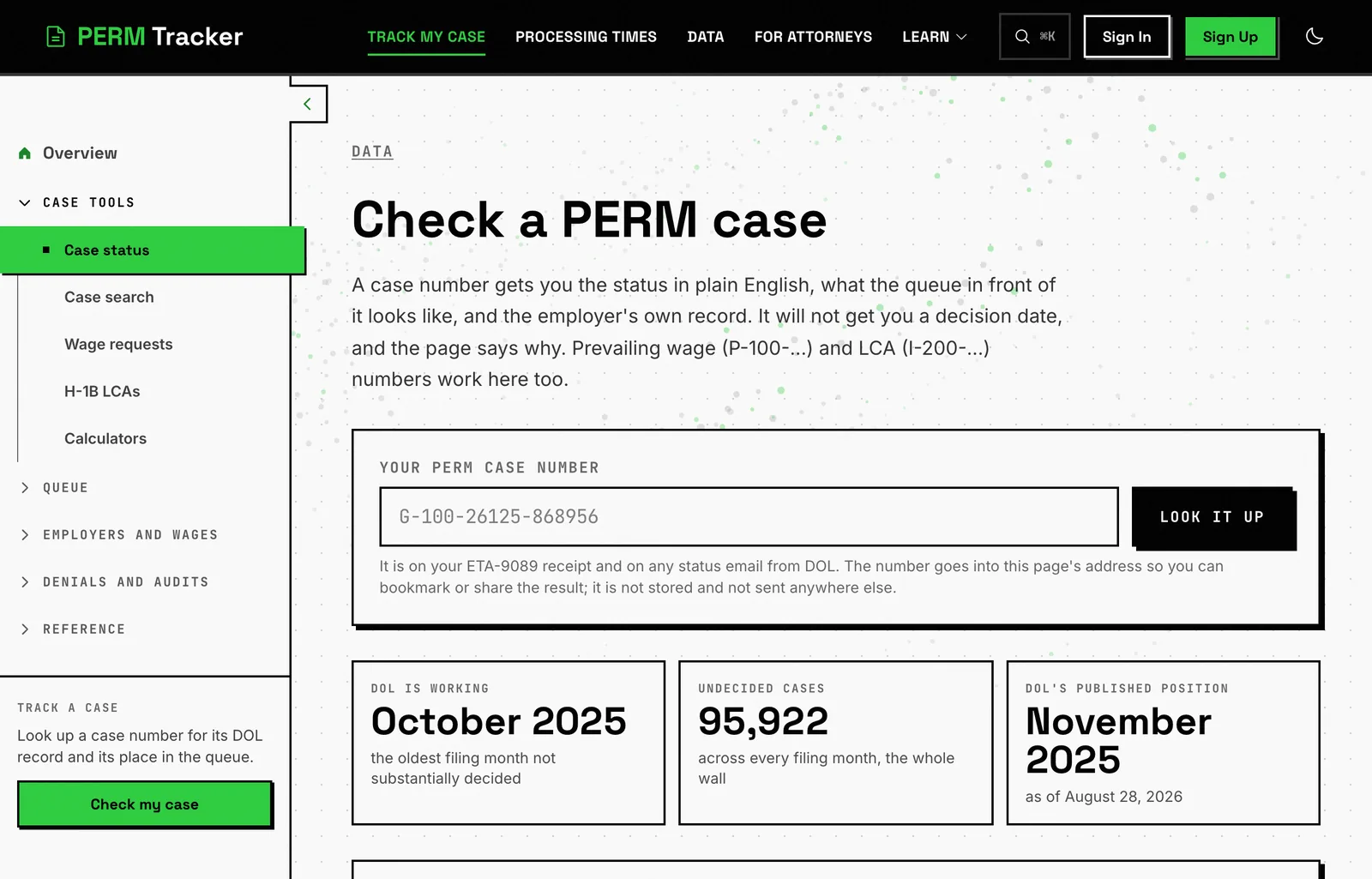
If the number is not already held, the site asks DOL for it at that moment, so a filing from this week still resolves.
You can also leave an email address there and hear when the status changes, which saves checking. One message per change, and no account.
What this can't do
- Find a case DOL's system does not return. Very old filings are not indexed, and nothing can recover those.
- Confirm a case is yours. The employer and job title are the only identifying detail in the public record. If a company filed several similar roles the same month, you may not be able to tell which is yours without asking.
- Tell you anything before the filing exists. If your employer has not filed, there is no number and no record.
💡 The quickest route is still asking
The case number is on the receipt DOL sends whoever filed. Asking your employer or its attorney for it is an ordinary request and takes one email. Searching is what you do when that has not worked.
Related
- PERM case status: the lookup itself
- How to check your PERM case status: what each DOL status means
- PWD calculator: where a wage request sits in DOL's queue
- How to read the PERM data: which page answers which question
Find the Number, Then Check It
Search the employer, copy the case number, paste it into the lookup. Free, no account.
Search PERM Cases