This release puts the government's other records about an employer beside its filings. It also adds three calculators for the steps around a green card.
A sponsor's federal records
Each sponsor's page has a Federal records chapter. It shows only when there's something in it.
- Wage and Hour cases from DOL's enforcement file, with the back wages DOL agreed. Wage violations counts the H-1B, H-2A and H-2B cases by fiscal year.
- OSHA inspections since October 2016, and what they found.
- SAM.gov exclusions: companies barred from federal contracts.
- Trade adjustment petitions, and Paycheck Protection loans.
A record is linked only when its name and place match the sponsor's own filings. A franchise store or a company with a similar name stays off the page.
Three new calculators
- Will my child age out? works out a child's age under the Child Status Protection Act from the petition's dates and the bulletin. Every example in USCIS's Policy Manual is one of its tests.
- Cap-gap and OPT days counts the unemployment days left on OPT and how long the cap-gap lasts.
- The six-year limit tool counts the 240 days you may keep working while an extension is pending.
The bulletin, for your own date
- The priority date tool answers "Can I file my I-485?" from the chart USCIS accepts that month.
- The green card line shows a wait three ways, from how fast past readers' dates actually came current.
- Each bulletin page says which chart USCIS accepts for an I-485, and each line's page says how far it sits behind.
Wage requests: where DOL really is
Wage requests opens with a board. It gives a date for your own filing day and shows whether DOL is keeping up week by week. It also shows how requests end, the typical wait by month and DOL's other wage queues. The month DOL is working comes from our own daily check of its case status, with DOL's table beside it.
PERM, in more detail
- Processing times opens with how long each month's decisions had waited, from DOL's files and our own checks.
- Each filing month lists its busiest employers.
- The RFI page sets how often RFI cases were certified against every PERM case.
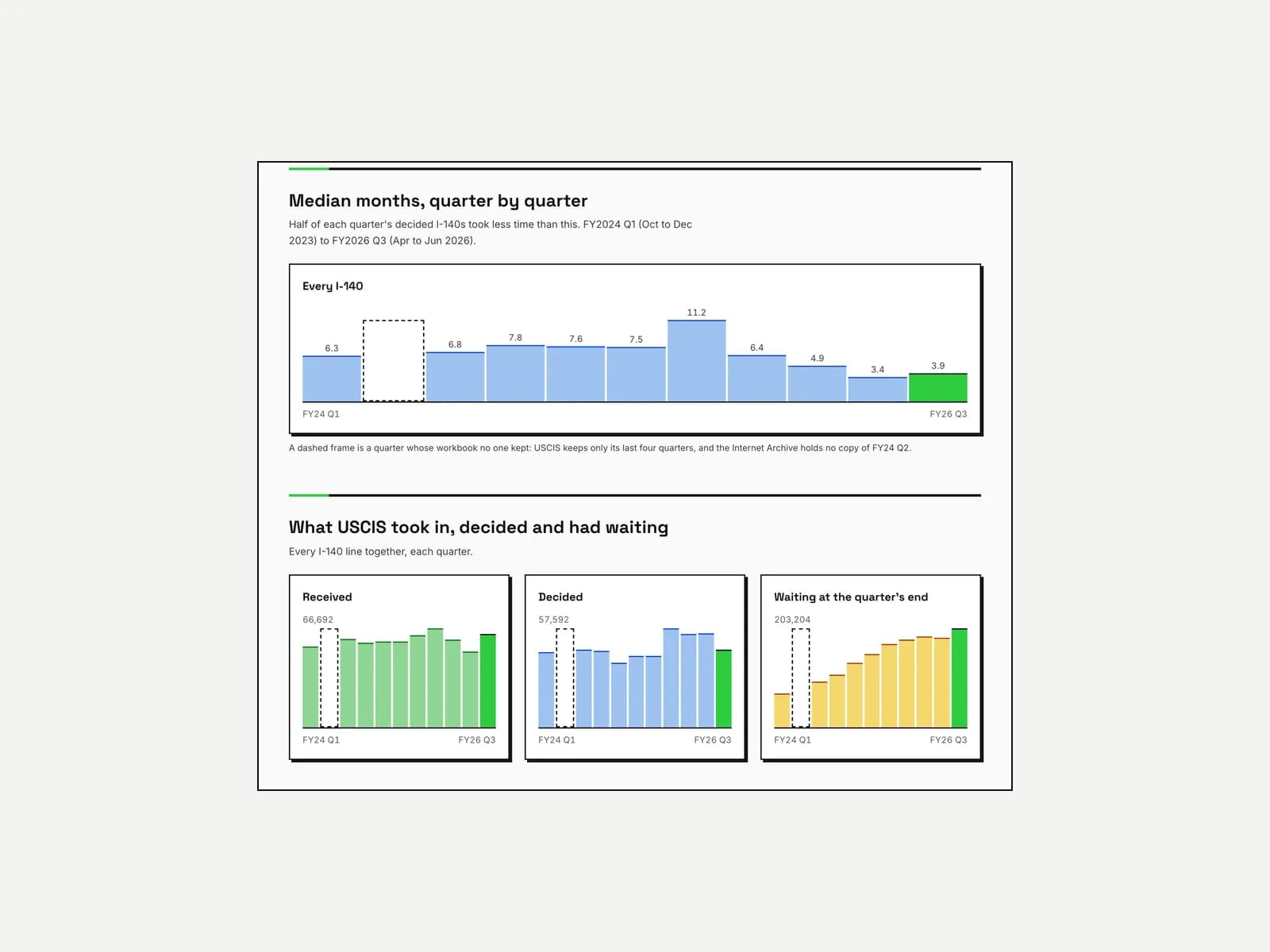
- USCIS processing times charts the I-140 times USCIS has posted since March 2022.
In the case tracker
- A saved case can watch DOL's own status, with an estimate from the case's own dates.
- The tracker suggests a saved case's DOL number from its employer and filing date.
- DOL's decision card sits at the foot of a case's overview, in one short card.
- The chat can read the public records too: DOL's status for any case, the queue, the bulletin, sponsors and job codes. Each answer names its source.
Fixes
- The site is in English only. The translated pages now go to their English pages.
- Every error screen is recorded, so a page that fails for a moment still gets fixed.
- The employer, law firm and job lists promised more rows than they loaded. Each count now names the list it counts, as the corrections log records.