
What you'll learn: How to use PERM Tracker's automated deadline engine to calculate PWD expiration dates, recruitment filing windows, and I-140 deadlines automatically — plus how to set up email and push notifications, use the calendar and timeline views, and never miss a critical PERM date again.
Why Deadline Tracking Matters
In PERM practice, missing a single deadline can mean:
- Expired PWD — Must restart the prevailing wage process (4-7 months lost) per 20 CFR 656.40
- Missed filing window — Recruitment may need to be redone under the 180-day rule
- Expired certification — The 180-day I-140 filing window is non-negotiable
- Malpractice risk — Clients rely on their attorney to manage timelines
Per Case Deadline Load
A single PERM case generates 50+ interconnected dates and deadlines across its lifecycle. At 10+ active cases, that's hundreds of deadlines to track — manual methods can't keep up.
When you're managing 10, 20, or 50+ active cases, manual tracking with spreadsheets becomes a liability. For a detailed comparison of approaches, see manual vs. automated tracking.
How PERM Tracker Calculates Deadlines
PERM Tracker uses a rules engine based on 20 CFR 656 to automatically calculate every deadline from the dates you enter. Here's how it works:
Cascade System
When you enter or update a key date, the system automatically recalculates all dependent deadlines. For example:
- Enter the PWD determination date → System calculates PWD expiration (1 year)
- Enter the first recruitment activity date → System calculates the 180-day filing window
- Enter the PERM certification date → System calculates the 180-day I-140 deadline
This cascade approach means you never need to manually calculate a deadline — just enter dates as they happen.
Validation Warnings
Beyond deadline calculation, PERM Tracker validates your case data against PERM regulations:
- Expired PWD warning — Alerts when a PWD is about to expire or has expired
- Recruitment completeness — Flags missing required recruitment activities
- Filing window status — Shows whether you're within the valid filing window
- Timeline conflicts — Identifies cases where deadlines overlap or conflict
Setting Up Notifications
PERM Tracker offers three notification channels:
Email Notifications
Configure email alerts to receive deadline reminders at your preferred advance notice period (7 days, 14 days, 30 days before).
Push Notifications
Enable browser push notifications for real-time alerts — even when you're not actively using PERM Tracker.
Dashboard Indicators
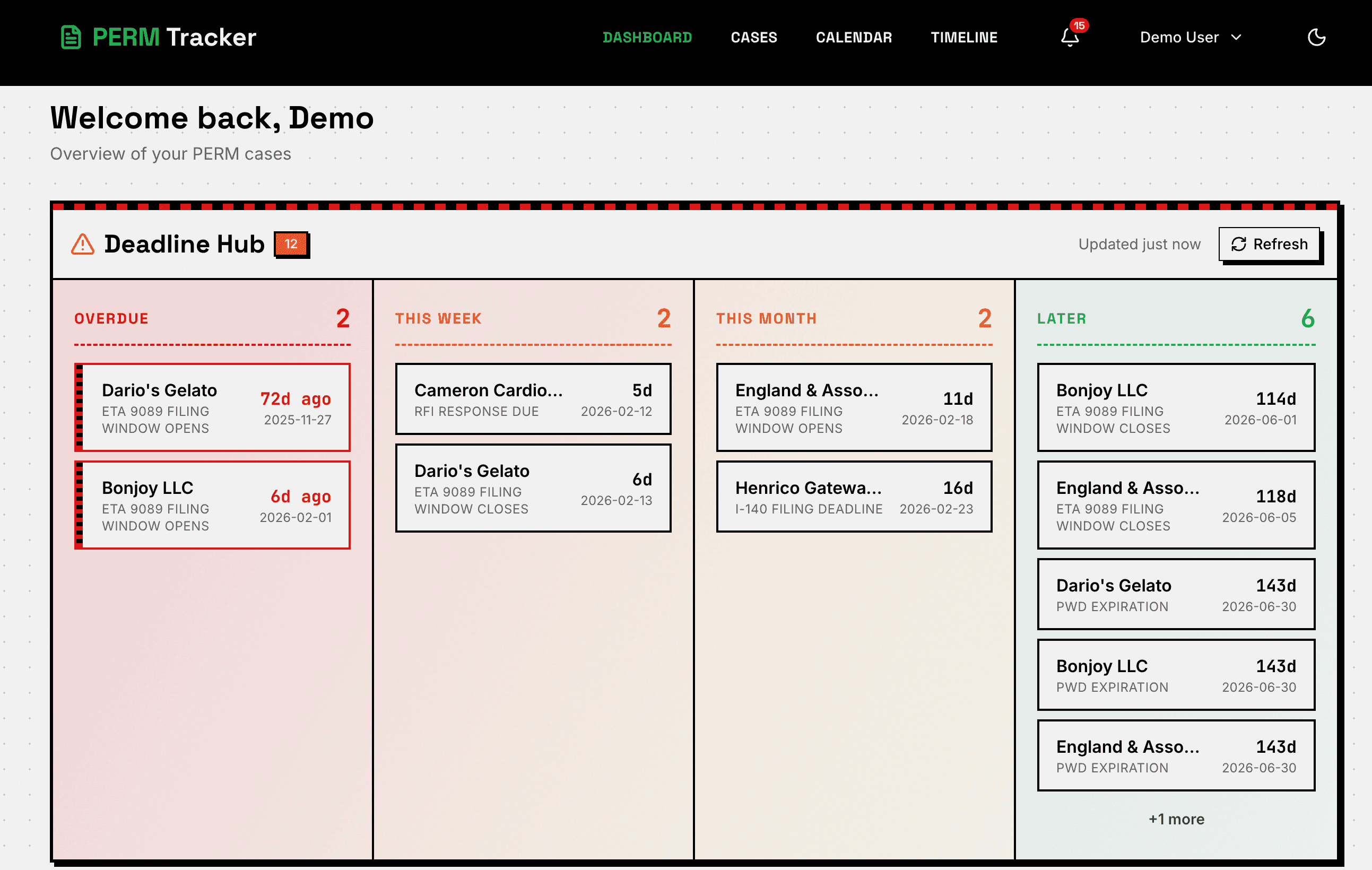
The Dashboard uses color-coded urgency indicators:
- Green — Plenty of time remaining
- Blue — Approaching (weeks away)
- Orange — Soon (days away)
- Red — Urgent or overdue
Calendar View
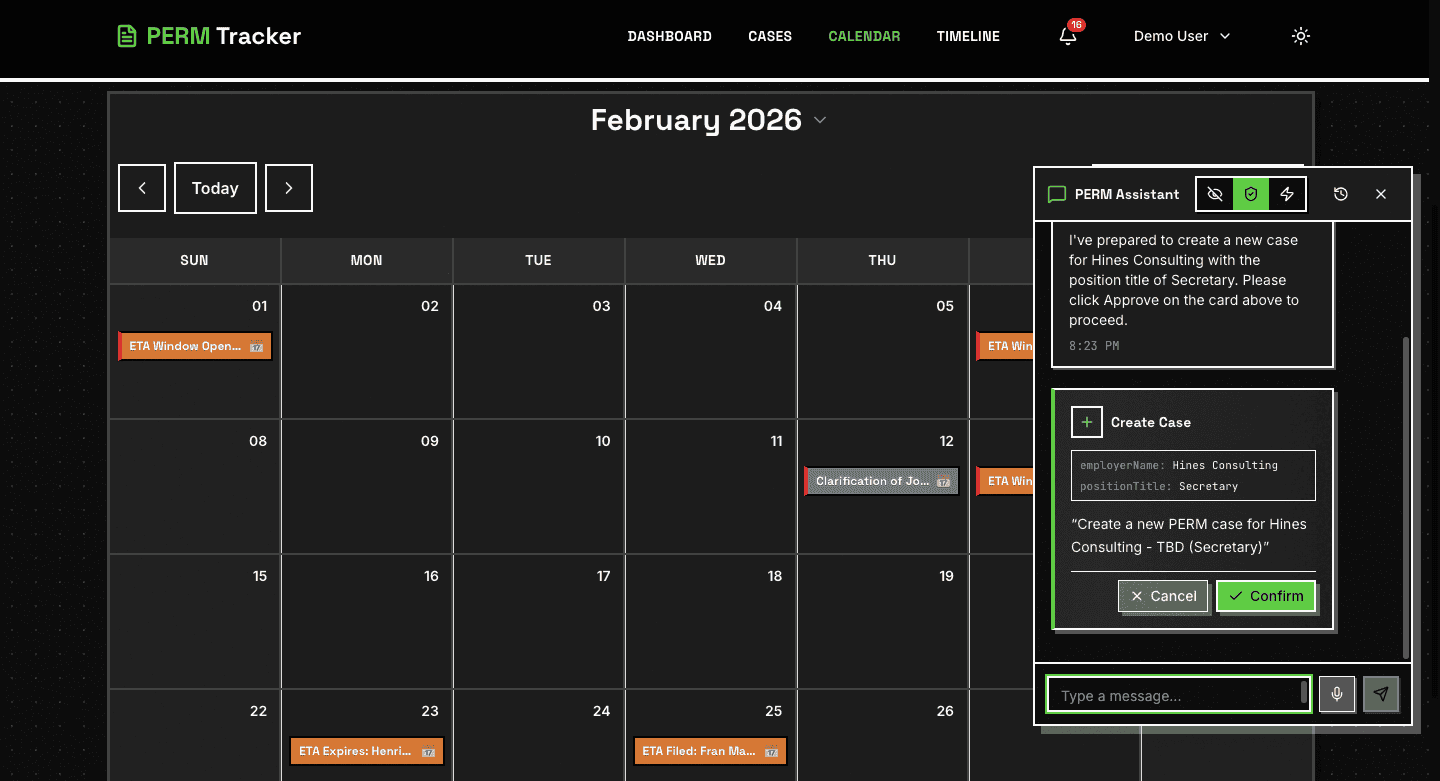
The Calendar view shows all deadlines across all cases in a familiar monthly/weekly format. This is especially useful for:
- Identifying deadline clusters — Weeks with multiple deadlines
- Planning workload — Scheduling case work around upcoming deadlines
- Client communication — Sharing timeline visibility with clients
Timeline View
For a big-picture view, the Timeline shows all your cases on a Gantt-chart style timeline. Each case is represented as a horizontal bar, with key milestones marked along the way.
This view helps you:
- See where each case stands relative to others
- Identify bottlenecks across your caseload
- Plan staffing and resource allocation
Best Practices
- Enter dates immediately — Don't wait to update your tracking system
- Review the Calendar weekly — Catch upcoming deadlines before they become urgent
- Enable multiple notification channels — Email + push for redundancy
- Use the Dashboard daily — The urgency indicators make it easy to prioritize
New to PERM Tracker? Start with our getting started tutorial to set up your account in under 5 minutes. For recruitment-specific tracking, see our recruitment tracking tutorial. To understand what happens when deadlines are missed or cases get flagged, read about common PERM audit triggers.
Automate Your Deadline Tracking
PERM Tracker calculates every deadline automatically. Enter dates, get alerts, never miss a filing.
Start Tracking Free